▲ Click above to download an older PDF document of this job aid.
This document will guide the user through the steps to create, Add line items, share, and delete a Batch in Estimate™, formerly Mobile Claims.
Note: This document was created using a demonstration insurance company with generic settings. Keep in mind that your screens may appear slightly different. Please refer to your insurer's specific guidelines for the appropriate claim and estimate settings.
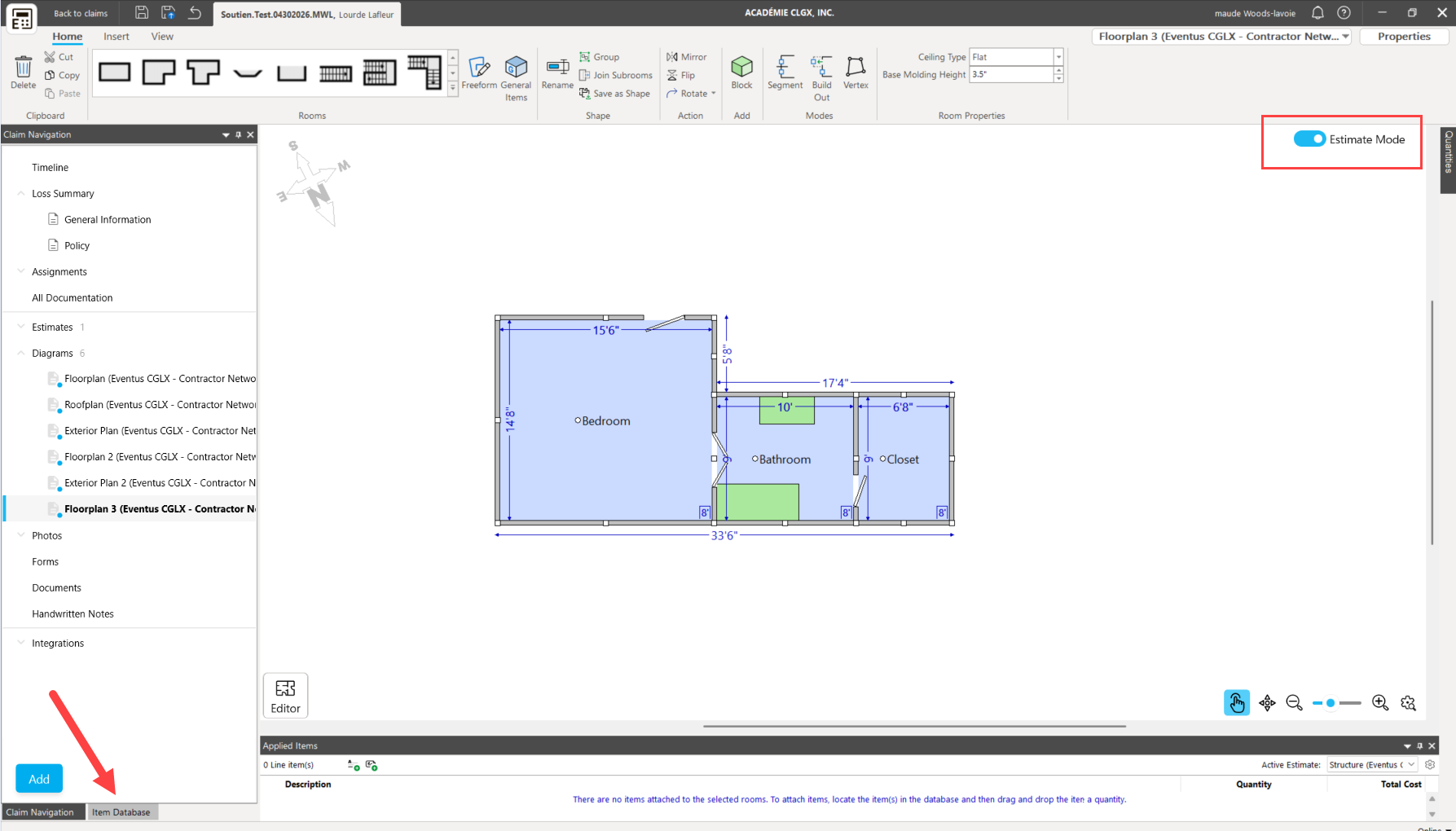
While in a diagram, activate Estimate Mode on the canvas. (Make sure you have an estimate on your claim).
Then click on the item database tab.
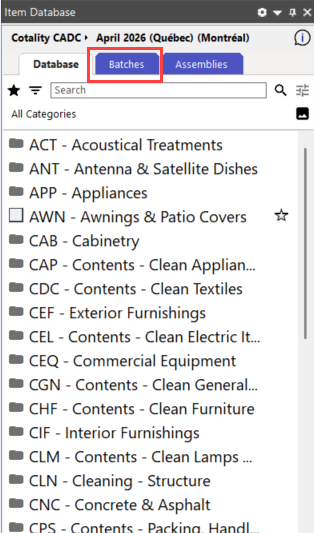
2. Click on the batches icon at the top of the item database panel
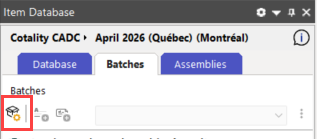
3. Select the Add an item batch icon to start a new batch.
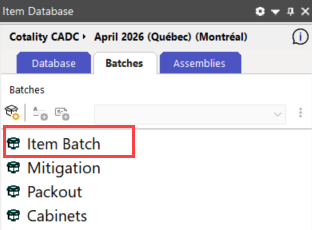
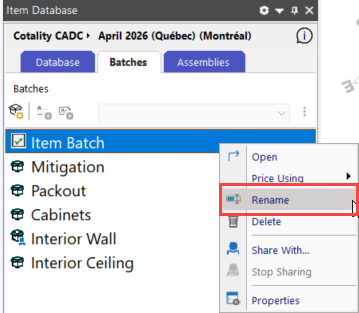
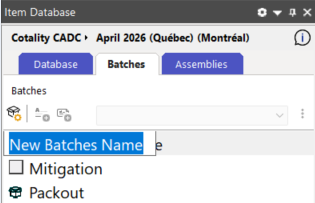
4. Click on your batch to open it. Then right-click on the batch itself. A new window will open allowing you to Rename the batch, and enter the desired name for the batch in the text field.
5. Add items to the batch by:
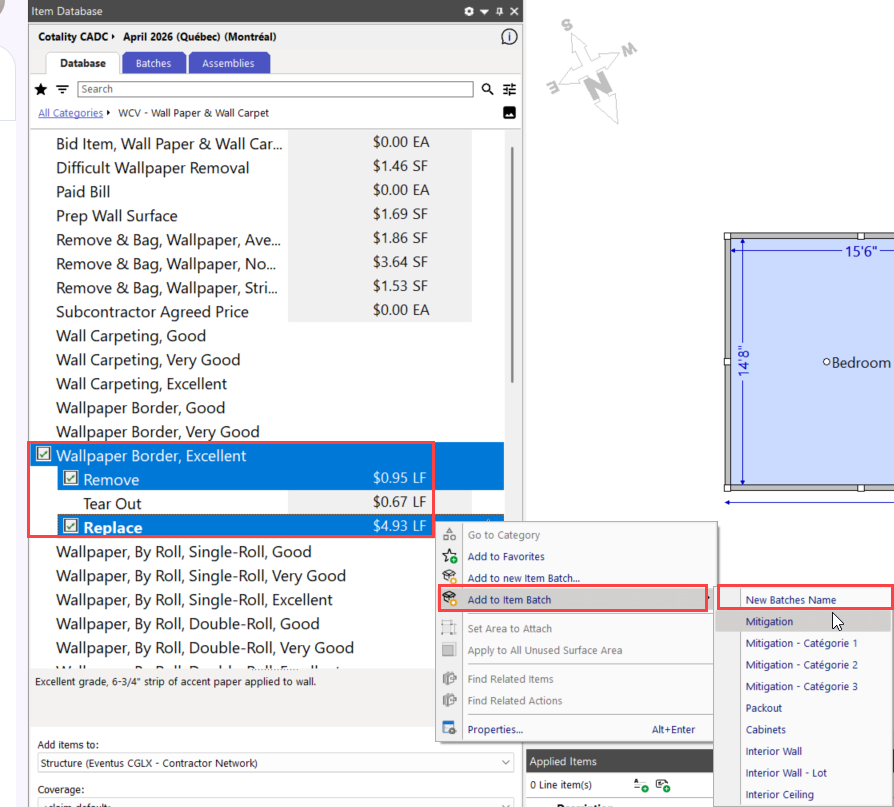
- Selecting items from the database, right-clicking, and choosing Add the item to batch (select the item batch name here) from the menu.
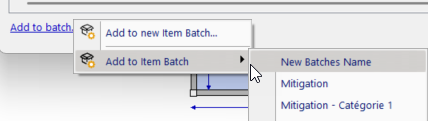
- Completing an assembly, then selecting the items in the Item Details window, clicking Add to batch..., and then choosing Add to item batch (in this case ...New Batches Name).
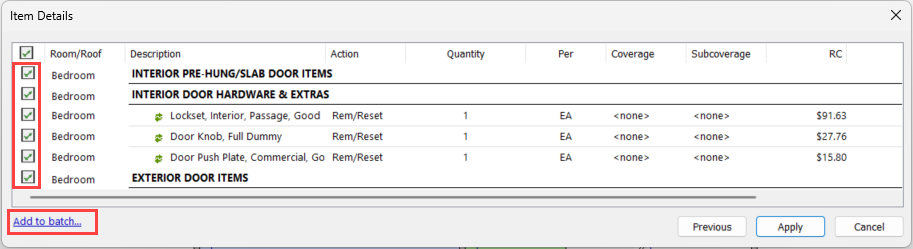
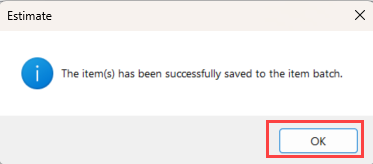
- Click OK to get out of the Dialog's box
6. Return to the batch to view the items that have been added to it.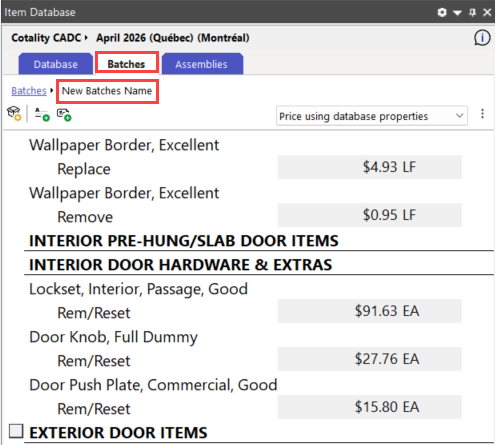
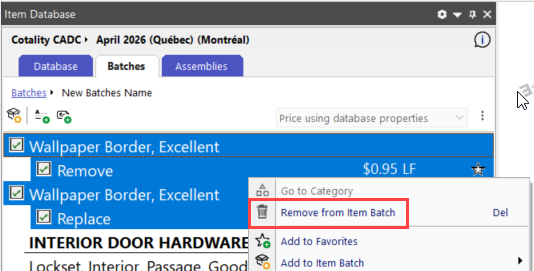
7. Highlight one or more items in the batch, right-click on them, and select Remove from item Batch to delete any unwanted items from the batch.
8, Click on the ellipses and select Share (batch name) With to share the batch with other available users and/or companies.
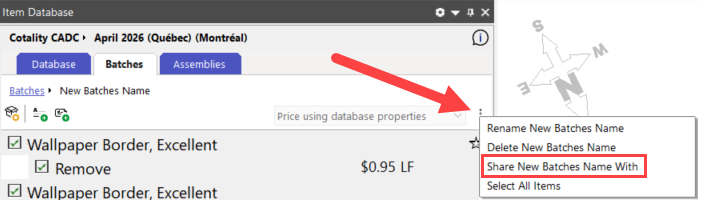
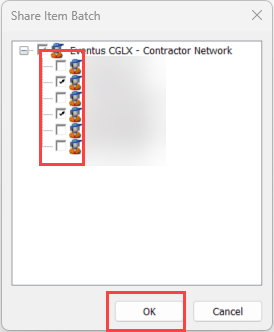
9. Check the boxes next to the users/companies you want to share the batch with, then click OK.
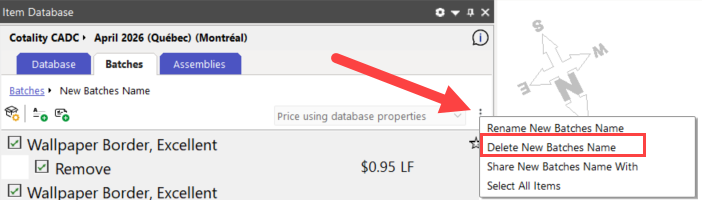
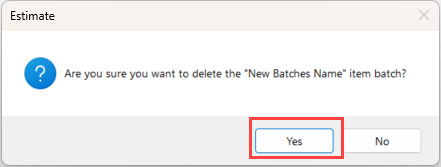
10. To delete a batch - while in the batch itself, click on the ellipsis found on the top right of the panel. Click on Delete (batches name). A warning window will pop-up. Click Yes to continue - No to Cancel.
About Cotality - Cotality is the leading provider of property data and solutions, promoting a healthy housing market and thriving communities. Through its property data solutions, services, and advanced technologies, Cotality enables real estate professionals, financial institutions, insurers, government agencies, and other housing market participants to help millions of people find, buy, and protect their homes.
For more information, please visit cotality.com.
© 2026 Cotality, Inc. All rights reserved. COTALITY and the Cotality logo are trademarks of Cotality, Inc. and/or its subsidiaries. All other trademarks are the property of their respective owners.
Was this article helpful?
That’s Great!
Thank you for your feedback
Sorry! We couldn't be helpful
Thank you for your feedback
Feedback sent
We appreciate your effort and will try to fix the article